

Preferences
There are settings that can be adjusted to optimize your experience with DiffSinger in OpenUTAU.
Rendering
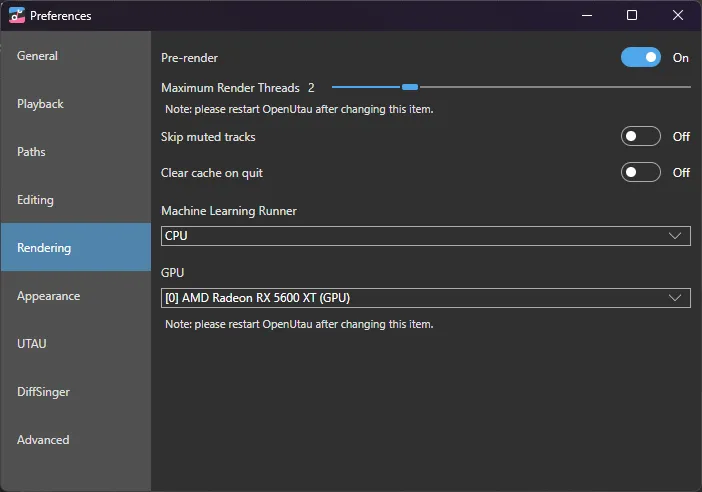
Pre Render
When enabled, OpenUTAU automatically renders each change made to the tracks.
Although practical, this can consume many system resources and cause slowdowns, especially in larger projects.
It is recommended to keep it disabled and use manual rendering (Spacebar) for greater control over the process.
Machine Learning Runner
Here you can choose the processing unit that will render DiffSinger. If you use Windows and have a graphics card, you can use DirectML for faster rendering, or "CoreML" for MacOS computers.
GPU
Here you can choose which GPU will be used for DiffSinger rendering. After making the choice, you need to restart OpenUTAU for the changes to take effect.
DiffSinger
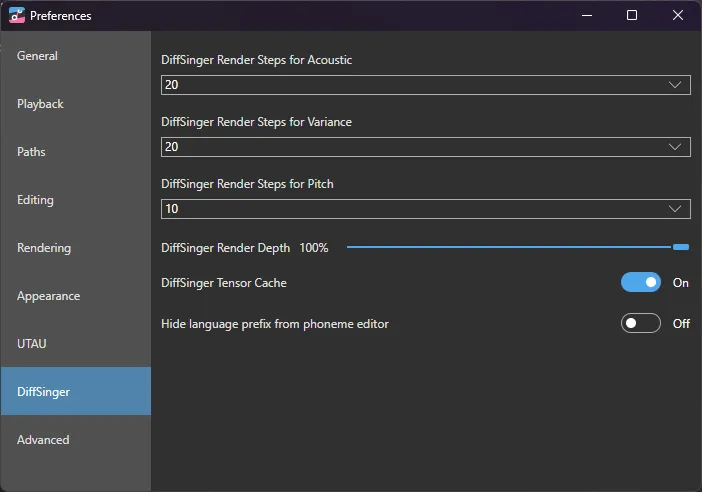
Render Steps
Defines the number of inference steps performed by the model during rendering. Higher values can improve output quality but increase processing time.
- Acoustic: Controls the quality of the acoustic (timbre, articulation).
- Variance: Controls the variability of vocal characteristics (energy, vocal tension, etc.).
- Pitch: Controls the accuracy and smoothness of the pitch.
It is recommended to use the default configuration or smaller values. In tests, higher values do not significantly affect the quality of the output.
Render Depth
Controls the depth of rendering, or the level of detail applied in the synthesis. Higher values result in more refined outputs, but require more processing. Adjust according to the complexity of the desired audio and available resources.
Tensor Cache
Manages the temporary storage of processed data by DiffSinger to accelerate future renderings. By keeping the cache active, DiffSinger reuses pre-calculated results, reducing rendering time and maintaining consistency in the generation of renders.