
Installing Voicebanks
In non-Japanese systems, unpacking a zip file created on a Japanese system usually results in mojibake file names.
The Install Singer tool helps convert file names correctly.
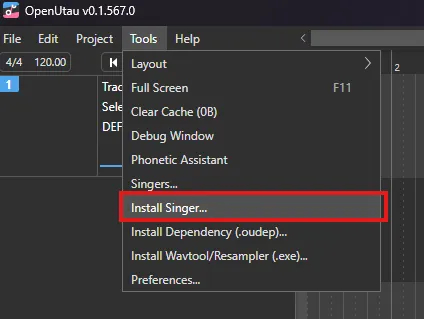
You can also manually unpack if the file names can be unpacked correctly within the Singers folder.
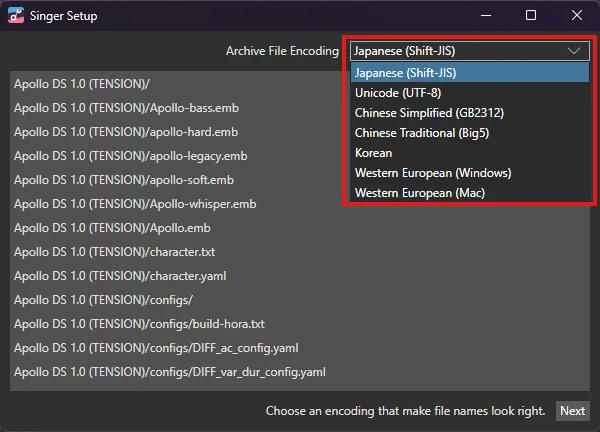
When installing a voice bank, a window will be displayed with an option to switch file encoding.
Use this option if you are unsure about how the voice bank is encoded (for example, a Japanese voice bank created by a Chinese user).
When the encoding is correct, the voice bank name and files will be displayed correctly.
Additional Voice Path
Another way to install voicebanks is to set the Additional Voice Path to an existing folder with the same, such as the UTAU voices folder.
You will then be able to see your installed voice banks in the Tools > Singers... menu.
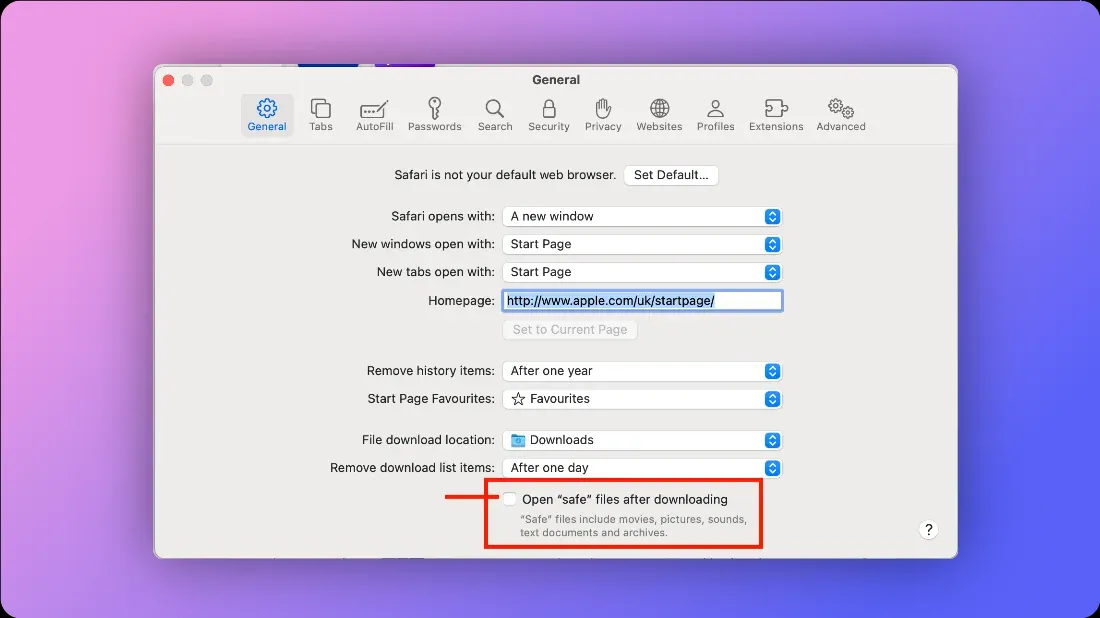
If you are using MacOS, before downloading a voice bank, navigate to Settings > General and uncheck Open "secure" files after downloading.